The New Twitter for Android, iPhone, and iPad

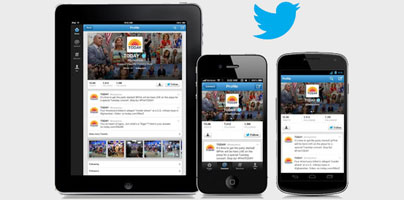
Twitter recently introduced new versions of the Twitter app for Google’s Android and for Apple’s iPhone and iPad.
Twitter recently announced that it updated its iPhone and Android apps to version 5.0 and version 3.4 respectively. Looking at the “What’s new” list, we notice that the following new feature stands out: support for the new Twitter profile.
The new Twitter profile lets you upload an all-new header photo that will be displayed above your tweets. You can upload a new photo from the Twitter app or from twitter.com – the choice is up to you. Use this as an opportunity to upload a photo that lets you better express yourself. And if you want to, you can upload a new background image that complements your header photo and your profile photos.
Speaking about photos, photo streams are now displayed underneath recent tweets. The photo streams present the images a Twitter user shared over time. Swipe on your device’s screen to view thumbnails of these images, tap the images to view them in full screen mode. To let you get a better view, the Android app lets you pinch-to-zoom on the image.
Twitter for iPhone is available for download here.
Twitter for Android is available for download here.
Twitter also announced that it updated its iPad app. As the company explained, with Twitter for iPad 5.0 “we’ve rebuilt the app from the ground up to make it fast, beautiful and easy to use.” Besides providing support for the new Twitter profile, the rebuilt iPad app comes with these new features:
“Twitter for iPad brings you closer to what’s happening all over the world, and makes it easy to keep up with the news you need to read, the photos you want to see and the people you follow,” said Product Manager Sung Hu Kim.
Twitter for iPad is available for download here.
Twitter recently announced that it updated its iPhone and Android apps to version 5.0 and version 3.4 respectively. Looking at the “What’s new” list, we notice that the following new feature stands out: support for the new Twitter profile.
The new Twitter profile lets you upload an all-new header photo that will be displayed above your tweets. You can upload a new photo from the Twitter app or from twitter.com – the choice is up to you. Use this as an opportunity to upload a photo that lets you better express yourself. And if you want to, you can upload a new background image that complements your header photo and your profile photos.
Speaking about photos, photo streams are now displayed underneath recent tweets. The photo streams present the images a Twitter user shared over time. Swipe on your device’s screen to view thumbnails of these images, tap the images to view them in full screen mode. To let you get a better view, the Android app lets you pinch-to-zoom on the image.
Twitter for iPhone is available for download here.
Twitter for Android is available for download here.
Twitter also announced that it updated its iPad app. As the company explained, with Twitter for iPad 5.0 “we’ve rebuilt the app from the ground up to make it fast, beautiful and easy to use.” Besides providing support for the new Twitter profile, the rebuilt iPad app comes with these new features:
- With a single touch you can expand a tweet and view photos, videos, and webpage summaries.
- Track interactions with others. See who followed you, see who mentioned you, see who retweeted one of yourtweets, see who favorite one of your tweets.
- The app delivers info tailored to your tastes.
“Twitter for iPad brings you closer to what’s happening all over the world, and makes it easy to keep up with the news you need to read, the photos you want to see and the people you follow,” said Product Manager Sung Hu Kim.
Twitter for iPad is available for download here.







