Microsoft Helps You Find the Right Windows 7 Version

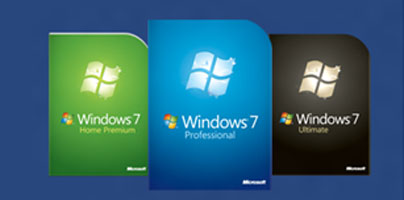
Should I get Windows 7 Home Premium, should I pay a bit more and get Windows 7 Professional, or should I get the top of the line, Windows 7 Ultimate? If you’re faced with this question and you cannot make up your mind which Windows 7 edition to purchase, then I have some good news for you: Microsoft introduced a new means to help you pick the right Windows edition.
Having the operating system that’s suited to your needs is important – having the right PC on which to use it it just as important. If you already have the PC to run Windows 7 on, that’ great. If you’re thinking about purchasing a a new PC with Windows 7 on it’ that’s even better. The good news is that on top of helping you find the right Windows 7 edition, Microsoft can now also help you find the right PC.
Visit this webpage and below the video you will see two images (see below). One invites you to answer a few questions so that Microsoft can determine which Windows 7 edition suits your needs, the other invites you to accept Microsoft’s help in going through the top picks and find the right PC.
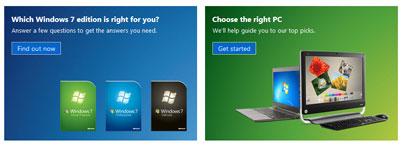
Click “Find out now” from “Which Windows 7 edition is right for you?” and you will be asked a bunch of questions about what you would like to be able to do with the operating system. When you’re done answering them all (shouldn’t take long) you will be presented with a recommended Windows edition.
Click the “Get started” button from “Choose the right PC” and you will be asked a bunch of questions about what you expect from your new PC – who is it for, portability, activity, price point, appearance. A list of recommendations will be shown when you’re done answering all of them.
Having the operating system that’s suited to your needs is important – having the right PC on which to use it it just as important. If you already have the PC to run Windows 7 on, that’ great. If you’re thinking about purchasing a a new PC with Windows 7 on it’ that’s even better. The good news is that on top of helping you find the right Windows 7 edition, Microsoft can now also help you find the right PC.
Visit this webpage and below the video you will see two images (see below). One invites you to answer a few questions so that Microsoft can determine which Windows 7 edition suits your needs, the other invites you to accept Microsoft’s help in going through the top picks and find the right PC.
Click “Find out now” from “Which Windows 7 edition is right for you?” and you will be asked a bunch of questions about what you would like to be able to do with the operating system. When you’re done answering them all (shouldn’t take long) you will be presented with a recommended Windows edition.
Click the “Get started” button from “Choose the right PC” and you will be asked a bunch of questions about what you expect from your new PC – who is it for, portability, activity, price point, appearance. A list of recommendations will be shown when you’re done answering all of them.







