How Windows 7 Further Restricts Users: No Wallpapers

With Microsoft working on the successor of Windows Vista, the eyes of the world have been focused on what Windows 7 RC (Release Candidate) will bring to the table and on the most recent Windows 7 online leaks (Build 7068 ISO and Build 7070 screenshots). Despite the fact that Microsoft announced it plans to bring out six different versions as part of its Windows 7 SKU strategy, few people have bothered with the least feature-rich version of the Windows-based OS, Windows 7 Starter.
All we really knew about Windows 7 Starter is that it is meant for underpowered machines (mainly netbooks) it provides the ability to join a Home Group, features improved taskbar and JumpLists. It will be made available worldwide through OEMs (original equipment manufacturers), but truth of the matter is it will see widespread usage in “emerging markets” only, where low-powered, cost effective systems are highly popular. With each Windows 7 version being superset one on top of the other, Windows 7 Starter has the least amount of features.
The lack of extensive features is limiting to the user, but there are other ways in which the operating system restricts your computer usage:
1. Windows 7 Starter can only run 3 programs at once – which we already knew about, but still, it deserves mentioning once again.
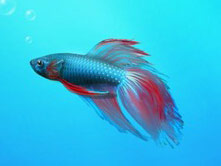
2. You cannot change the default wallpaper that the OS provides, you are stuck with the Beta fish wallpaper that comes bundled with the OS.
Rafael Rivera, who has already posted a workaround for this issue here, comments: “While Paul Thurrott was loading all the SKUs on his various machines peppered around his house, he tipped me off to the fact that in Windows 7 [Build 7068] Starter Edition – the SKU slated for the netbook market – has been gutted of its desktop personalization controls. Now, look. I’m all for gutting premium features to lighten Windows footprint and price but this is ridiculous. Why the regression?”
UPDATE: The workaround does not work. There is no way of changing the default wallpaper in Windows 7 Starter.
All we really knew about Windows 7 Starter is that it is meant for underpowered machines (mainly netbooks) it provides the ability to join a Home Group, features improved taskbar and JumpLists. It will be made available worldwide through OEMs (original equipment manufacturers), but truth of the matter is it will see widespread usage in “emerging markets” only, where low-powered, cost effective systems are highly popular. With each Windows 7 version being superset one on top of the other, Windows 7 Starter has the least amount of features.
The lack of extensive features is limiting to the user, but there are other ways in which the operating system restricts your computer usage:
1. Windows 7 Starter can only run 3 programs at once – which we already knew about, but still, it deserves mentioning once again.
2. You cannot change the default wallpaper that the OS provides, you are stuck with the Beta fish wallpaper that comes bundled with the OS.
Rafael Rivera, who has already posted a workaround for this issue here, comments: “While Paul Thurrott was loading all the SKUs on his various machines peppered around his house, he tipped me off to the fact that in Windows 7 [Build 7068] Starter Edition – the SKU slated for the netbook market – has been gutted of its desktop personalization controls. Now, look. I’m all for gutting premium features to lighten Windows footprint and price but this is ridiculous. Why the regression?”
UPDATE: The workaround does not work. There is no way of changing the default wallpaper in Windows 7 Starter.







