For iPhone Users: AT&T Finally Supports MMS


The option to send multimedia messages (MMS) is something iPhone owners running their device on OS 3.0 have been enjoying since June – with one condition: that they use the device on any other network aside from AT&T. The carrier, which is the only authorized US carrier for the iPhone, initially said it would provide support for MMS this summer, but that boat has sailed, leaving many dissatisfied with AT&T. Support for MMS may not have been rolled out this summer, but it is here now.
AT&T announced that it would provide support for MMS as of Friday, the 25th of September. The good news is that the carrier kept its word this time. iPhone users from the US can now sends multimedia messages using the Apple developed device. All they need to do is update the carrier settings by connecting he iPhone to iTunes and they’re set.
Here is what you have to do to apply the carrier settings update that allows you to send MMS:
1. Make sure your internet connection is working and make sure you have iTunes 7.7 or later installed on your machine. Also check that your iPhone is running on iPhone OS 3.1 or later.
2. Connect your iPhone to your computer. Launch iTunes.
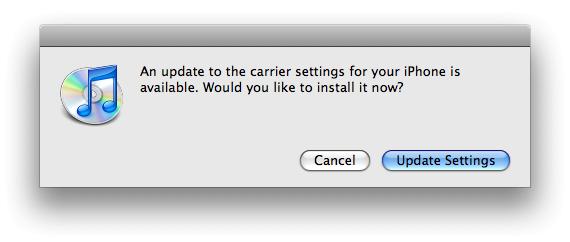
3. You will be presented with a notification message informing you that an update to the carrier settings is available. Click Update Settings.
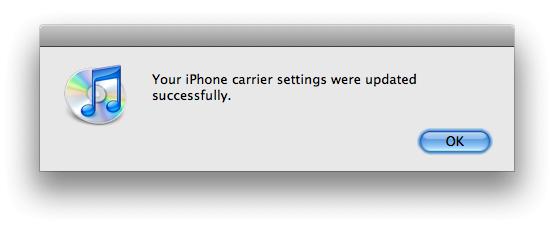
4. Restart your iPhone (hold down the power button -> slide to power off -> press the power button to turn the device back on). Once you do this you are all set to send and receive multimedia messages on your iPhone.
“We know that iPhone users will embrace MMS. The unique capabilities and high usage of the iPhone’s multimedia capabilities required us to work on our network MMS architecture to carry the expected record volumes of MMS traffic and ensure an excellent experience from Day One. We appreciate your patience as we work toward that end,” commented AT&T via Facebook.
AT&T announced that it would provide support for MMS as of Friday, the 25th of September. The good news is that the carrier kept its word this time. iPhone users from the US can now sends multimedia messages using the Apple developed device. All they need to do is update the carrier settings by connecting he iPhone to iTunes and they’re set.
Here is what you have to do to apply the carrier settings update that allows you to send MMS:
1. Make sure your internet connection is working and make sure you have iTunes 7.7 or later installed on your machine. Also check that your iPhone is running on iPhone OS 3.1 or later.
2. Connect your iPhone to your computer. Launch iTunes.
3. You will be presented with a notification message informing you that an update to the carrier settings is available. Click Update Settings.
4. Restart your iPhone (hold down the power button -> slide to power off -> press the power button to turn the device back on). Once you do this you are all set to send and receive multimedia messages on your iPhone.
“We know that iPhone users will embrace MMS. The unique capabilities and high usage of the iPhone’s multimedia capabilities required us to work on our network MMS architecture to carry the expected record volumes of MMS traffic and ensure an excellent experience from Day One. We appreciate your patience as we work toward that end,” commented AT&T via Facebook.







