For Windows 8 Users: Get Your Google Back

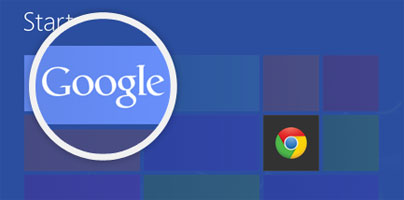
Google put together the “Get Your Google Back” webpage for Windows 8 users who want easy access to a couple of popular Google products: Google Search and Google Chrome.
The recently released Windows 8 operating system puts the focus on Microsoft’s products when it comes to searching for info online (the Bing search engine) and when it comes to surfing the web (the new Internet Explorer 10 web browser). If you're not a Bing and IE fan, if you’re a Google fan instead, I have some good news for you: you can easily gain access to a couple of Google products that you use every day.
Google put together a website entitled Get Your Google Back that presents instructions on how to make Windows 8 more familiar. You are invited to get the new Google Search app for Windows 8 and to get Google Chrome for Windows 8 and make it the operating system’s default browser.
The new Google Search app for Windows 8 comes with a clean and recognizable interface. Google will be placed on your start page and you will have a quick and easy means of accessing Google Search. Results are displayed as you type the search query, you can speak out a query, image search and image previews are built for swiping, special Google doodles will show up on the homepage and on the Google tile on the start screen.
Moving on to Google Chrome for Windows 8, here’s what Tamar Yehoshua, Product Management Director, Search, had to say:
“The Chrome browser is the same Chrome you know and love, with some customizations to optimize for touchscreens, including larger buttons and the ability to keep Chrome open next to your other favorite apps. It delivers the fast, secure web experience you’ve come to expect from Chrome on all your devices,” explained.
So if you’re a Google fan and you want to make Windows 8 more familiar, go visit Get Your Google Back.
The recently released Windows 8 operating system puts the focus on Microsoft’s products when it comes to searching for info online (the Bing search engine) and when it comes to surfing the web (the new Internet Explorer 10 web browser). If you're not a Bing and IE fan, if you’re a Google fan instead, I have some good news for you: you can easily gain access to a couple of Google products that you use every day.
Google put together a website entitled Get Your Google Back that presents instructions on how to make Windows 8 more familiar. You are invited to get the new Google Search app for Windows 8 and to get Google Chrome for Windows 8 and make it the operating system’s default browser.
The new Google Search app for Windows 8 comes with a clean and recognizable interface. Google will be placed on your start page and you will have a quick and easy means of accessing Google Search. Results are displayed as you type the search query, you can speak out a query, image search and image previews are built for swiping, special Google doodles will show up on the homepage and on the Google tile on the start screen.
Moving on to Google Chrome for Windows 8, here’s what Tamar Yehoshua, Product Management Director, Search, had to say:
“The Chrome browser is the same Chrome you know and love, with some customizations to optimize for touchscreens, including larger buttons and the ability to keep Chrome open next to your other favorite apps. It delivers the fast, secure web experience you’ve come to expect from Chrome on all your devices,” explained.
So if you’re a Google fan and you want to make Windows 8 more familiar, go visit Get Your Google Back.







