Easily Send Large Files with Digital Pigeon

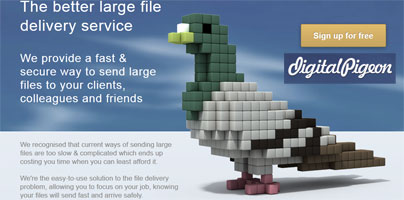
Digital Pigeon helps you easily share large files, up to 5GB in size, with others.
Digital Pigeon’s aim is to help you quickly and easily share large files with co-workers, collaborators, clients, or business partners. Anyone who had to send large files back and forth will attest to the fact that it can be a frustratingly slow and unnecessarily complicated matter. Digital Pigeon takes away the frustration out of the whole matter by making it incredibly easy to share files up to 5GB in size.
“We recognised that current ways of sending large files are too slow & complicated which ends up costing you time when you can least afford it,” says Digital Pigeon’s description. “We're the easy-to-use solution to the file delivery problem, allowing you to focus on your job, knowing your files will send fast and arrive safely.”
If you know how to send out an email, you won’t have any problems sharing large files with Digital Pigion. Let’s say you want to send a 500MB file to Bob from accounting. Enter Bob’s email address, enter a brief description, and selected the file you want to send. Once you do that the file will be uploaded and a link will be sent to Bob so he can access your branded pickup page and download the 500MB file. If that file happens to be a video, Bob will be able to preview it on your pickup page. When Bob will preview or download the file, you will be notified about it via email.
Digital Pigeon Main Features
Digital Pigeon’s aim is to help you quickly and easily share large files with co-workers, collaborators, clients, or business partners. Anyone who had to send large files back and forth will attest to the fact that it can be a frustratingly slow and unnecessarily complicated matter. Digital Pigeon takes away the frustration out of the whole matter by making it incredibly easy to share files up to 5GB in size.
“We recognised that current ways of sending large files are too slow & complicated which ends up costing you time when you can least afford it,” says Digital Pigeon’s description. “We're the easy-to-use solution to the file delivery problem, allowing you to focus on your job, knowing your files will send fast and arrive safely.”
If you know how to send out an email, you won’t have any problems sharing large files with Digital Pigion. Let’s say you want to send a 500MB file to Bob from accounting. Enter Bob’s email address, enter a brief description, and selected the file you want to send. Once you do that the file will be uploaded and a link will be sent to Bob so he can access your branded pickup page and download the 500MB file. If that file happens to be a video, Bob will be able to preview it on your pickup page. When Bob will preview or download the file, you will be notified about it via email.
Digital Pigeon Main Features
- Fully customize your pickup page. Clients, co-workers, business partners will download the files you send out from this page.
- Easily send files up to 5GB in size to others. Receive files up to 2GB in size from non-Digital Pigeon users.
- Get a notification when someone previews or downloads a file you sent out.
- Media files (images, audio, and video) can be previewed on your branded pickup page.
- There’s a Digital Pigeon desktop app for Macs and a Digital Pigeon companion iOS app.
- There are 4 Digital Pigeon plans to choose from: Starter, Basic, Professional, Teams.







