Analyze Files and Disk Space Contents and Usage

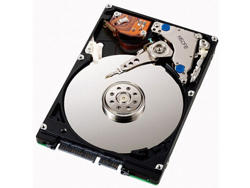
Unless you decide to take it to the Cloud, all your data and info will be stored in files and folders which in turn are stored on your HDD, since it is the one storage device that you are unlikely to misplace (unlike USB sticks). If you were ever curious to see detailed stats on what takes up space on your HDD, and alternatively in your folders, then these software applications will come in handy.
JDiskReport, which will not cost you a thing, puts disk usage in an easy to understand visual presentation. As the developer put it, “JDiskReport enables you to understand how much space the files and directories consume on your disk drives, and it helps you find obsolete files and folders.” The reports display info regarding size distribution, file type distribution, rating according to the last time you modified a file, the top 50 files that take up the most space on your disk.
Scanner, which is freeware, also focuses on disk usage. Once you download the 164KB application you can view a concentric pie chart related to your disk’s usage. “The chart shows all major files and folders from all directory levels at once.”
What else would you like to know about the files stored on your machine? Perhaps you would like to know which files were recently modified. Last Changed Files performs just such a task: it detects the last 100 files on your HDD or subdirectories that have been changed by you, or other people using your computer. As the developers explains, “Once you start Last Changed Files, the software automatically scans your hard drive and shows you the top 100 new created or last changed files on your hard disk. You see the following columns in the top 100 largest files list: file name, full folder path, file size and date of last change.”
If you would like to get JDiskReport, a download location is available here.
If you would like to get Scanner, a download location is available here.
If you would like to get Last Changed Files, a download location is available here.
JDiskReport, which will not cost you a thing, puts disk usage in an easy to understand visual presentation. As the developer put it, “JDiskReport enables you to understand how much space the files and directories consume on your disk drives, and it helps you find obsolete files and folders.” The reports display info regarding size distribution, file type distribution, rating according to the last time you modified a file, the top 50 files that take up the most space on your disk.
Scanner, which is freeware, also focuses on disk usage. Once you download the 164KB application you can view a concentric pie chart related to your disk’s usage. “The chart shows all major files and folders from all directory levels at once.”
What else would you like to know about the files stored on your machine? Perhaps you would like to know which files were recently modified. Last Changed Files performs just such a task: it detects the last 100 files on your HDD or subdirectories that have been changed by you, or other people using your computer. As the developers explains, “Once you start Last Changed Files, the software automatically scans your hard drive and shows you the top 100 new created or last changed files on your hard disk. You see the following columns in the top 100 largest files list: file name, full folder path, file size and date of last change.”
If you would like to get JDiskReport, a download location is available here.
If you would like to get Scanner, a download location is available here.
If you would like to get Last Changed Files, a download location is available here.







